This content was created in Japanese and translated into English. The Japanese version is the original, and the English version was created for reference purposes. In the event of any conflict between the two language versions, the Japanese version shall take precedence.
Payment Methods
Credit Card Payment
■ Accepted Credit Cards
We accept VISA, Mastercard, American Express, JCB, and Diners Club.

■ Installment / Revolving Payments
Only single (lump-sum) payments are available. Installment and revolving payments are not supported.
■ Billing Timing
Credit card payments are processed at the time of order.
・The credit card transaction date (charge date) will be the order date for both in-stock and pre-order items.
・Depending on your card issuer's billing cycle, the actual charge may appear on your statement 1–2 months later. Please refer to your card statement for details.
・For pre-order items, payment may be charged before the item is delivered. We appreciate your understanding.
■ Statement Descriptor
Charges will appear on your statement as "PotteryLink" or "ポタリーリンク" (Katakana, used on Japanese statements).
■ Security / Card Information Handling
We do not store any card information. Card details must be entered for each order.
To ensure secure transactions, our system complies with the latest version of PCI DSS, the international standard for the credit card industry, providing world-class security.
■ Credit Card Errors
If your card payment cannot be processed due to an error, please try a different card or select another payment method.
Convenience Store Payment (Japan only)
Convenience store payment is a prepayment method. Shipping will begin after payment is confirmed.
■ Available Convenience Stores
Click the convenience store name to view payment instructions.
・Daily Yamazaki (external site)

■ Important Notes
1. A convenience store payment fee of JPY 190 (tax included) will be charged to the customer.
Example: For a product total of JPY 2,400, the total amount payable at the convenience store will be JPY 2,400 + JPY 190 = JPY 2,590.
2. The maximum purchase amount is JPY 300,000 (tax and fees included).
3. The payment deadline is within 5 days from the day after the order date.
4. If the deadline is missed, the order will be automatically cancelled. Thank you for your understanding.
5. If you select convenience store payment, KOMOJU will send an email containing the payment number(s).
Please configure your email filters to allow messages from "@komoju.com",
so that emails from no-reply@komoju.com can be received.
Mobile Payment (QR Code) (Japan only)
[Important] As of April 2026, Mobile Payment (QR Code) is temporarily unavailable.
※ LINE Pay terminated its services in Japan on April 30, 2025, and its operations have been consolidated into PayPay.
※ We are currently preparing to support PayPay. Planned for future support.
※ Availability is subject to change.
You can pay using the balance charged to your mobile payment app.
※ Please confirm your mobile payment app balance in advance.
■ Available Mobile Payment Methods
As of April 2026, no mobile payment methods are currently supported.
※ PayPay is planned for future support.

■ How to Use
Available on both PC and smartphone.
[On Smartphone]
1. At checkout, select "Mobile Payment (PayPay, LINE Pay, Merpay)" as your payment method.
2. Tap "Complete Order" to proceed to the payment screen. Choose your preferred payment method from PayPay, LINE Pay, or Merpay.
3. Confirm the displayed payment amount and tap "Proceed".
4. The mobile payment app will launch. Follow the on-screen instructions and tap "Pay".
[On PC]
1. At checkout, select "Mobile Payment (PayPay, LINE Pay, Merpay)" as your payment method.
2. Tap "Complete Order" to proceed to the KOMOJU payment screen. Choose your preferred payment method from PayPay, LINE Pay, or Merpay.
3. A QR code will be displayed. Scan the QR code with the smartphone where the payment app is installed to open the payment screen.
■ Important Notes
After being redirected to the mobile payment app, please complete payment within the following time limits:
・PayPay: within 5 minutes after redirection to the PayPay app
・LINE Pay: within 20 minutes after redirection to the LINE app
Bank Transfer (Japan only)
Bank transfer is a prepayment method. Shipping will begin after payment is confirmed.
Payments can be made via ATM, bank counter, or internet banking offered by your financial institution.
■ Payment Process
1. At checkout, select "Bank Transfer" as your payment method, then click "Pay Now".
2. On the next page, enter the required information and click the "Pay" button.
3. The next page will display the bank transfer details (bank name, account number, recipient name).
Please complete your transfer by the payment deadline.
※ The bank transfer details will also be sent to your registered email address for your reference.
4. Once your payment is confirmed, we will begin shipping procedures.
■ Important Notes
1. Account numbers are unique to each order. Please transfer to the dedicated account shown on the payment screen or in the payment instructions email.
Even if you have used this payment method before, please check the new account number for each order.
2. The payment deadline is within 14 days from the day after the order date.
3. Bank transfer fees are the responsibility of the customer.
4. If payment is not confirmed by the deadline, your order will be cancelled.
5. We are unable to refund overpayments. Please double-check the amount before transferring.
Pay-easy (Japan only)
You can pay via internet banking or ATM.
Pay-easy is a prepayment method. Shipping will begin after payment is confirmed.
For more information about Pay-easy, please visit this page (external site).

■ Important Notes
1. A Pay-easy fee of JPY 190 (tax included) will be charged to the customer.
Example: For a product total of JPY 2,400, the total amount payable via Pay-easy will be JPY 2,400 + JPY 190 = JPY 2,590.
2. The payment deadline is within 10 days from the day after the order date.
Apple Pay and Google Pay
[Important] As of April 2026, Apple Pay and Google Pay are not yet supported. Planned for future support.
※ Availability is subject to change.


About Apple Pay
Apple Pay is an online payment system provided by Apple.
Customers planning to use this method can find setup instructions on the official Apple page (external site).
■ Devices Supporting Apple Pay
To use the [Apple Pay] button, you must use one of the following devices:
・iPhone 6 or later
・iPad (Apple Pay-compatible models)
・Apple Watch
・Mac with Touch ID or Face ID
About Google Pay
Google Pay is an online payment system provided by Google.
Customers planning to use this method can find setup instructions on the official Google page (external site).
■ Devices Supporting Google Pay
・Smartphones running Android OS 7.0 or later
※ To use Google Pay, you must download the Google Wallet app.
Shop Pay
Shop Pay is a payment service provided by the e-commerce platform "Shopify".
By registering your email address and mobile phone number with Shop Pay, on your next purchase you simply enter the 6-digit Shop Pay code (SMS authentication) sent to your registered email and phone number,
and you can complete the payment without re-entering shipping or credit card information.
Information you register with "Shop Pay" is not stored on our store's servers, but on Shopify's PCI-compliant servers (external site),
and is retrieved each time you use the service.

If you wish to stop using "Shop Pay", you may delete your account at any time from the Shop Pay website.
Once you delete your Shop Pay account, all information stored in Shop Pay will be permanently deleted.
・Shop Pay Login Page (external site)
・Shop Pay Account Deletion Page (external site)
■ Important Notes
1. Your Shop Pay account and our store's member account are separate. Deleting your Shop Pay account does not delete your member account with our store.
2. Changes to information registered with Shop Pay are not reflected by updating your member account with our store. Please log in to Shop Pay and update the information yourself.
Rakuten Pay (Japan only)
[Important] As of April 2026, Rakuten Pay is not yet supported. Planned for future support.
※ Availability is subject to change.
You can pay smoothly using your usual Rakuten ID and password.
Earn and use Rakuten Points! Please enjoy the "easy", "secure", and "rewarding" Rakuten Pay experience.
For more information about Rakuten Pay, please visit this page (external site).

■ Important Notes
1. To use Rakuten Pay, you must register a credit card with your Rakuten member account.
2. If payment is not completed within 15 minutes after order confirmation, your order may be automatically cancelled. If you still wish to purchase, please place the order again.
3. Rakuten Pay cannot be used for transactions under JPY 100.
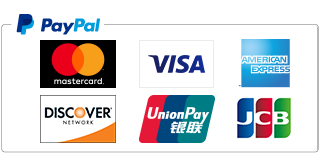
PayPal
You can use this method if you have a PayPal account.
You may also create a PayPal account at the time of order.
For more information about PayPal, please visit this page (external site).
■ How to Use
1. At checkout, select "PayPal" as your payment method and place your order.
2. Authenticate with PayPal.
If you have a PayPal account, enter your email address or phone number and password, then click "Log In".
If you do not have a PayPal account, click "Create an Account" to create one.
3. Select your payment method on the PayPal side and authorize the payment (pre-approval).
4. Confirm your order is complete.
Once payment authorization (pre-approval) is completed on the PayPal side and the order completion screen is displayed, your order is complete.
Last updated: 2026/04/30